Restaurant management software should not be one more screen to feed. In a UAE café or restaurant it should run the day with you: the order you send the supplier, the stock that comes in, the lunch rush, the kitchen, the people on shift and the numbers at close. Here is one ordinary day on foodash, restaurant management software built in the UAE, hour by hour.
0108:00 The supplier order is already drafted
The Reorder Agent looked at what you actually used over the last week and the last four weeks, aimed for about a week of cover, rounded to whole packs and wrote down why for every line. You read it with your coffee and approve it. Send it by email, as a PDF, or from your own WhatsApp with a link the supplier taps to confirm.
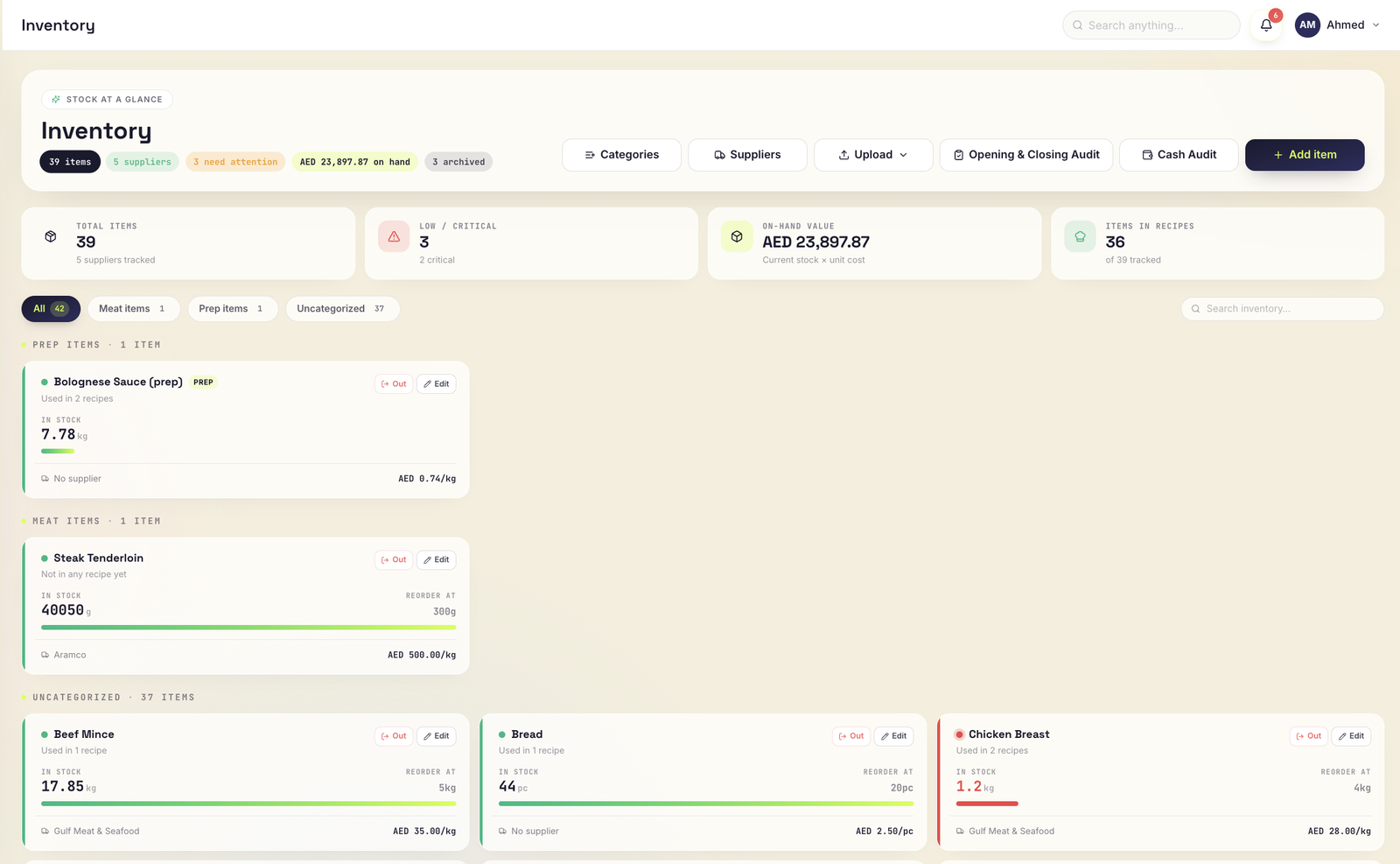
0209:30 The delivery goes into stock with a photo
The van arrives. Log the delivery against its order and photograph the invoice: foodash reads the lines and puts them into stock. If what arrived is not what you ordered, it is flagged. Printed menus and stock sheets scan in the same way, so nobody types a list again.
0311:00 Doors open and guests scan the menu
Guests scan a QR code and browse your menu in English or Arabic, with today's prices: change a price and the menu changes with it. On the live floor plan you see every table, who is seated and which orders are open.
0412:30 The lunch rush on one iPad
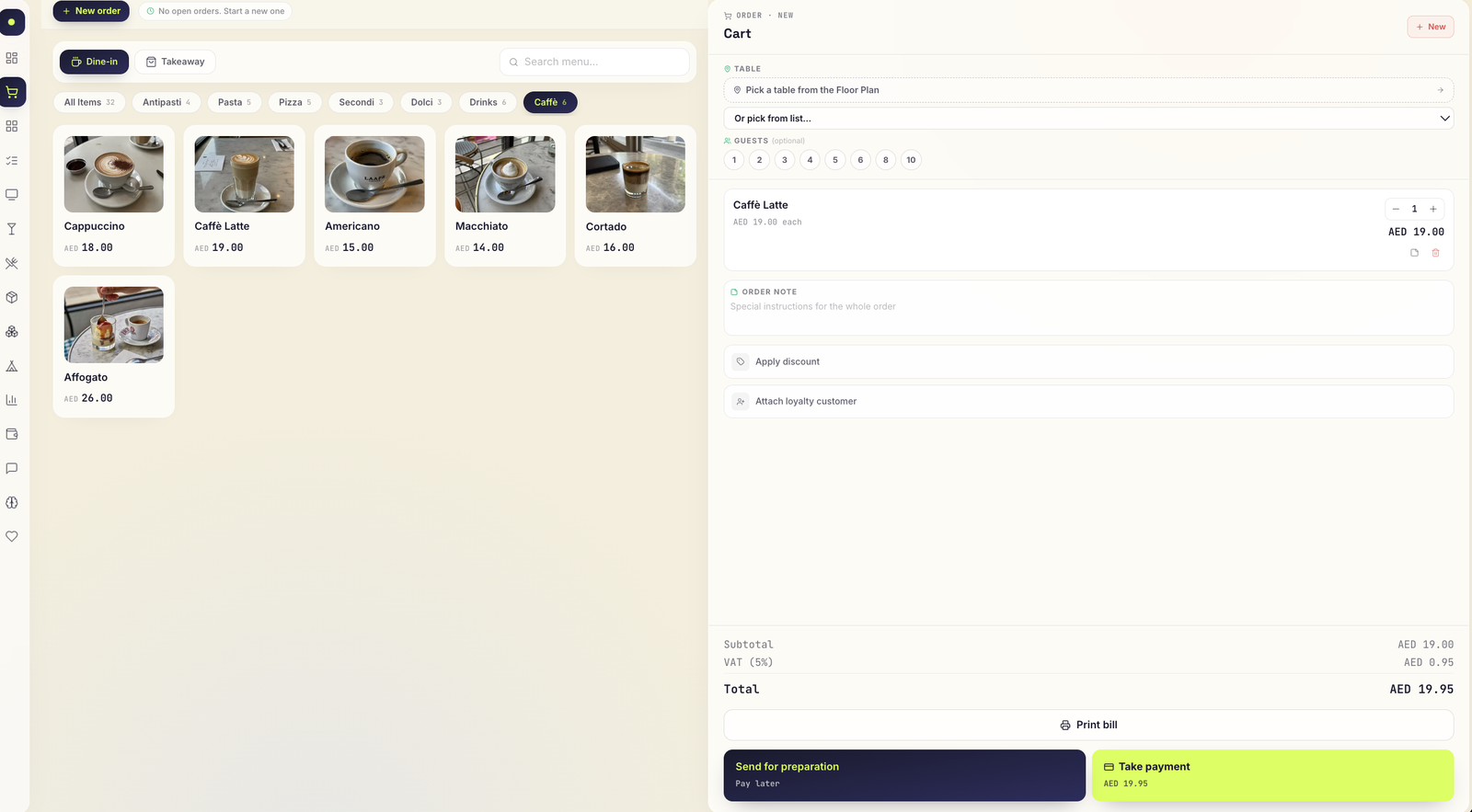
Dine-in, takeaway and drive-thru run on the same iPad. Open orders stay in view, payment takes a tap and receipts print. For VAT registered restaurants, 5% VAT is applied on every bill. Every sale also takes its recipe off stock, so the shelf in foodash moves with the kitchen.
0512:31 The ticket is already in the kitchen
No paper tickets. The order appears on the kitchen display with modifiers, notes and a live timer, coloured by how long it has waited. Drinks can go to their own Bar Display Screen, so the bar works its queue without waiting on the kitchen.
0616:00 Ask how lunch went
The rush is over. The dashboard shows sales, top sellers and low stock, live. Or ask Dash, in Arabic or English, and the answer comes from your own numbers: what sold best, how much milk is left, what to order for the weekend.
0718:00 Shift change
Owner, Manager, Cashier, Waiter and Kitchen each see only the screens they need, so a new hire on the evening shift only sees the POS.
0823:30 Closing the day
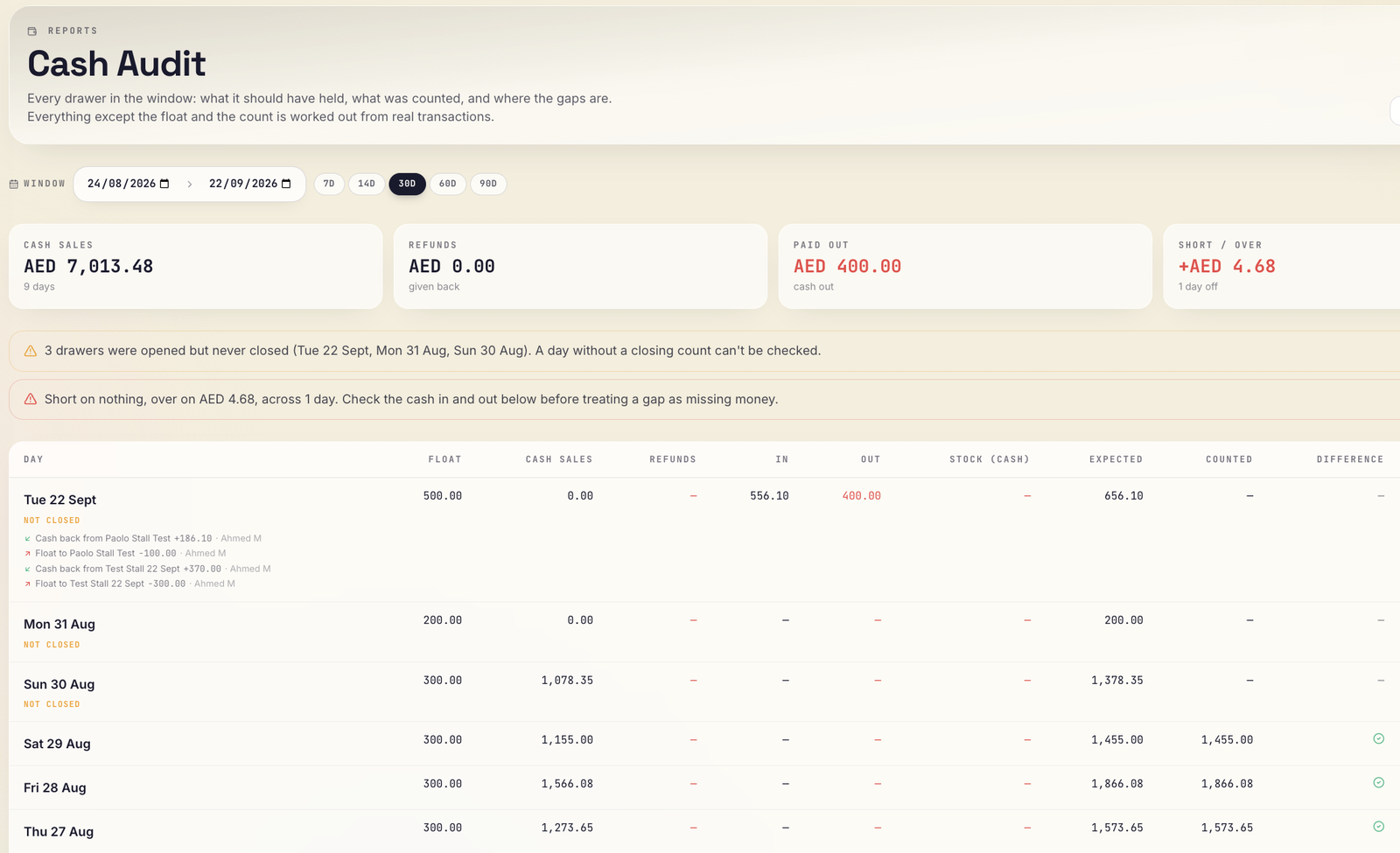
The daily report, VAT, invoices and the cash audit are ready. The cash audit sets what the drawer should hold against what was counted, and cash spent on stock comes off the drawer, so the cash count and the stock count tell the same story. Share any report with a partner in one link.
Good restaurant management software is the one you stop noticing: the day runs, and the numbers are right at close.
09While you sleep
After close, five AI agents read the day. The Inventory Agent checks what was sold against what left the shelves, Forecast updates expected sales for the week ahead, Reorder prepares tomorrow's drafts and Insights writes one clear next step. Nothing goes to a supplier without your approval.
10What it costs
- AED 400 a month, or AED 2,094 for 6 months (AED 349 a month), or AED 3,600 for a year (AED 300 a month).
- Every feature and all five AI agents are in every plan, with 500 AI credits a month.
- One user is included. Extra users are AED 50 each a month. Loyalty and the Bar Display Screen are AED 50 a month each, and Pop-up Events is AED 100.
- No setup fee, no cut of your sales and no hardware to buy. Try the full product free for 2 days.
What is restaurant management software?
It is the system that runs a restaurant's day in one place: taking orders and payments, sending tickets to the kitchen, keeping stock and suppliers, managing staff and producing the reports. In foodash all of it sits on one screen, with AI agents on top.
Do I need special hardware?
No. foodash runs in the browser on the iPad, tablet or computer you already have, and the kitchen display works on any screen with a browser.
Is it only for restaurants, or for cafés too?
Both. Cafés, coffee shops, restaurants, cloud kitchens and kiosks use the same system; you turn on the service styles you need.