A list of restaurant POS features tells you very little. What matters is whether they work on the same order, one after the other, without anyone typing the same thing twice. So instead of a list, here is one order at table 4 in a UAE café, followed from the QR menu to the end of day report, and every foodash feature it touches on the way.
01The guest: QR menu
Table 4 scans the QR code and browses the menu in English or Arabic, with today's prices. When you change a price, the QR menu changes with it, so nothing printed goes out of date.
02The waiter: POS and floor plan
The waiter taps table 4 on the live floor plan and sends the order. Dine-in, takeaway and drive-thru run on the same iPad, open orders stay in view and payment takes a tap.
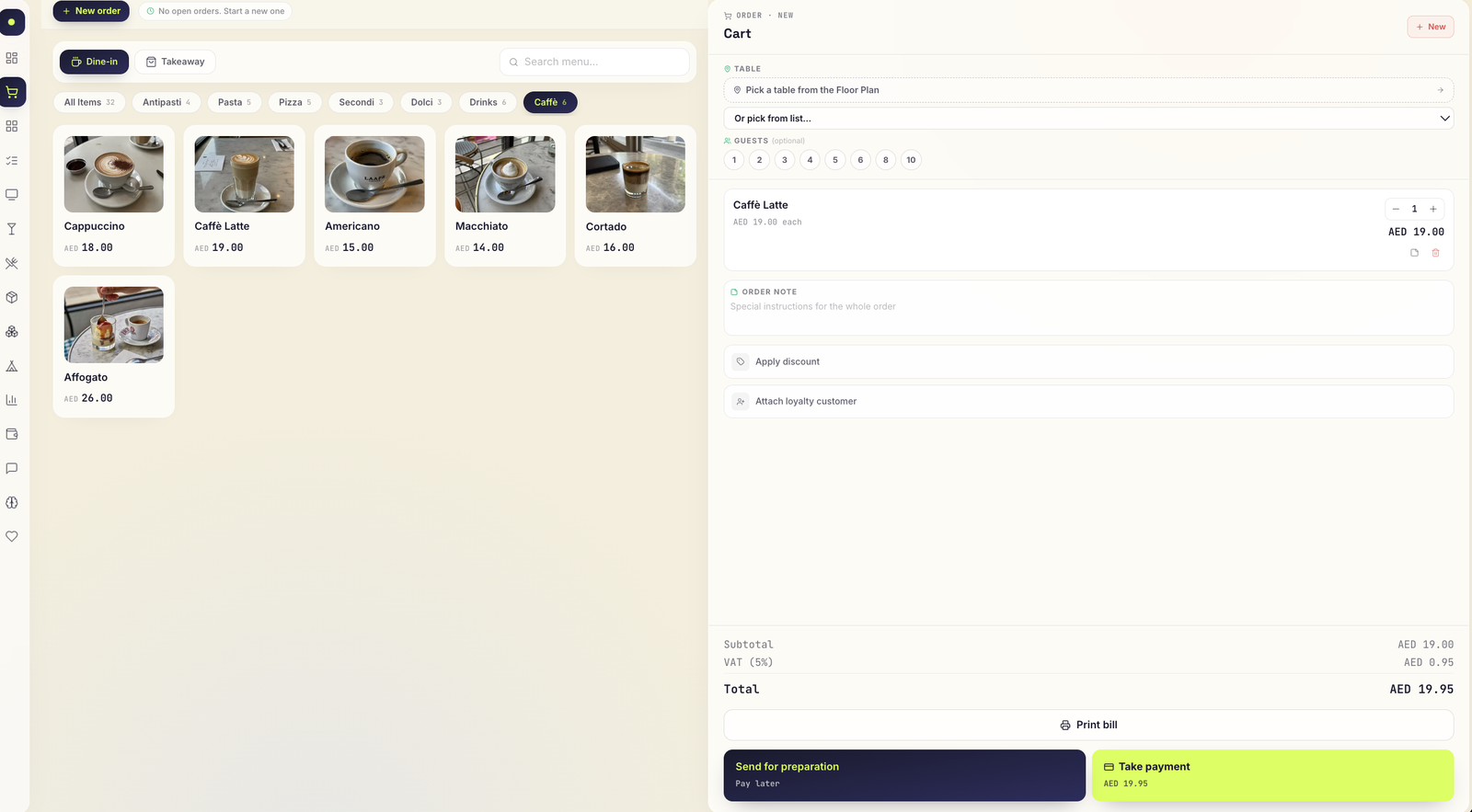
03The kitchen: kitchen display system
The ticket appears on the kitchen display with modifiers, notes and a live timer, coloured by wait time. The kitchen display is included in every plan and runs on any screen with a browser. Drinks can go to the Bar Display Screen, an add-on.
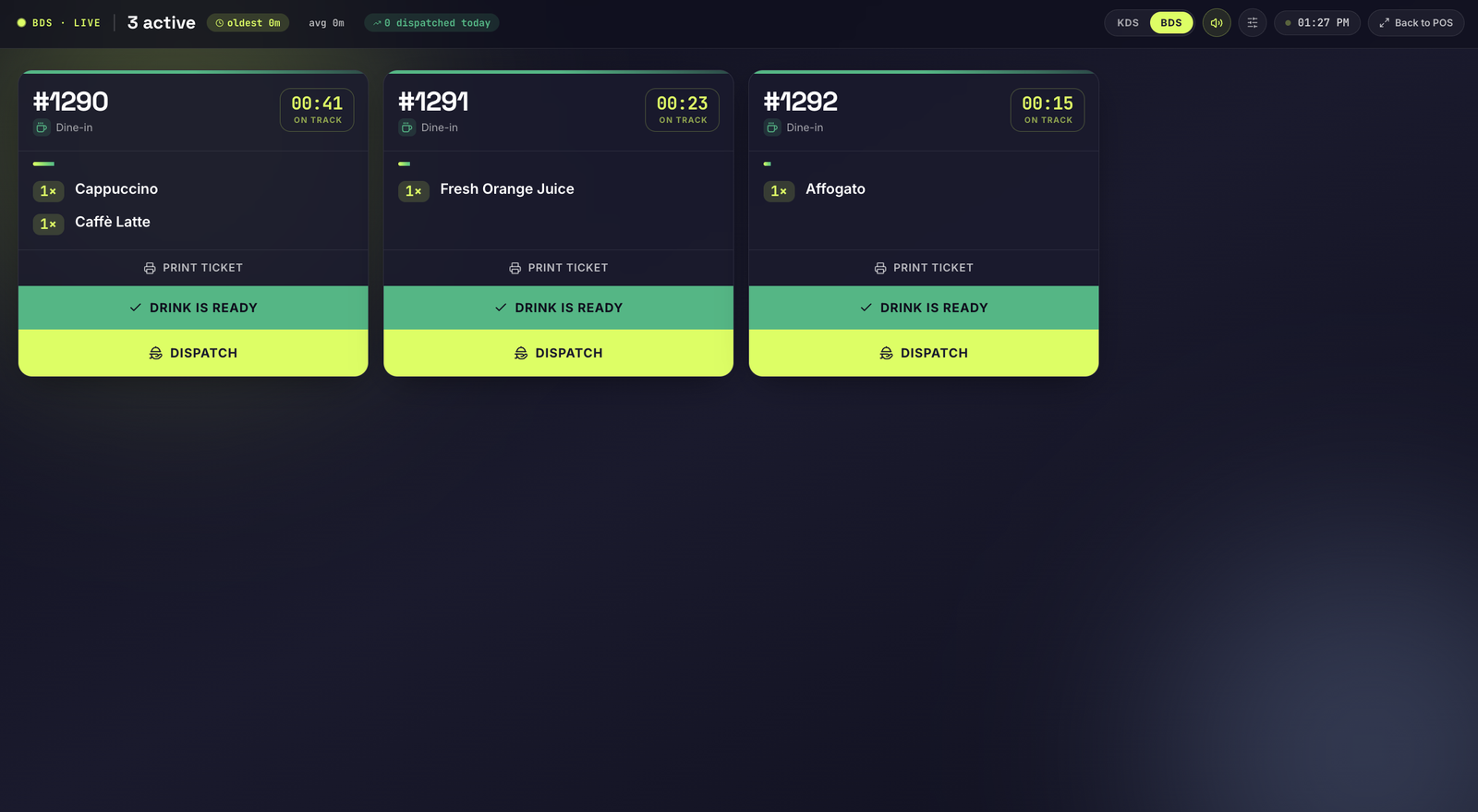
04The stock: inventory by recipe
Every dish carries its recipe, including extras and swaps. When the order is sent, foodash takes those quantities off stock, down to the grams of coffee, and converts units for you. The Inventory Agent flags drift before it costs you.
05The supplier: purchase orders
Milk is running low, so the Reorder Agent drafts a purchase order from what you really used. You approve it, and the supplier confirms from a link, no login needed.
06The delivery: scan and receive
The delivery arrives. Photograph the invoice and every line is logged into stock; if it does not match the order, it is flagged. Printed menus and stock sheets scan in the same way.
07The guest again: loyalty
Table 4 collects a stamp on an Apple Wallet or Google Wallet card. They joined with one QR scan, with no app to download. Loyalty is an add-on.
08The owner: dashboard and reports
Sales, top sellers and low stock are live on the dashboard. At close, the daily report, UAE VAT, invoices and the cash audit are ready, and any report can be shared in one link.
One order, eight features, and nobody typed anything twice.
09Included, and what is an add-on
| Feature | On every plan |
|---|---|
| POS, floor plan and receipts | Included |
| Kitchen display | Included |
| Menu, recipes and QR menu | Included |
| Inventory, counts and waste | Included |
| Purchase orders and scan and receive | Included |
| Dashboard, reports and VAT reports | Included |
| Five AI agents, 500 credits a month | Included |
| Loyalty | AED 50 a month |
| Bar Display Screen | AED 50 a month |
| Pop-up Events | AED 100 a month |
| Extra users | AED 50 each a month |
Which restaurant POS features are included in every plan?
POS, floor plan, kitchen display, menu and QR menu, inventory, purchase orders, scan and receive, dashboard, reports and the five AI agents. Loyalty, the Bar Display Screen, Pop-up Events and extra users are add-ons.
Is the kitchen display extra?
No. The kitchen display is included, and it runs on any screen with a browser.
Do guests need an app for loyalty?
No. They scan one QR code and the stamp card goes into Apple Wallet or Google Wallet.